How We Built Monologue for iOS
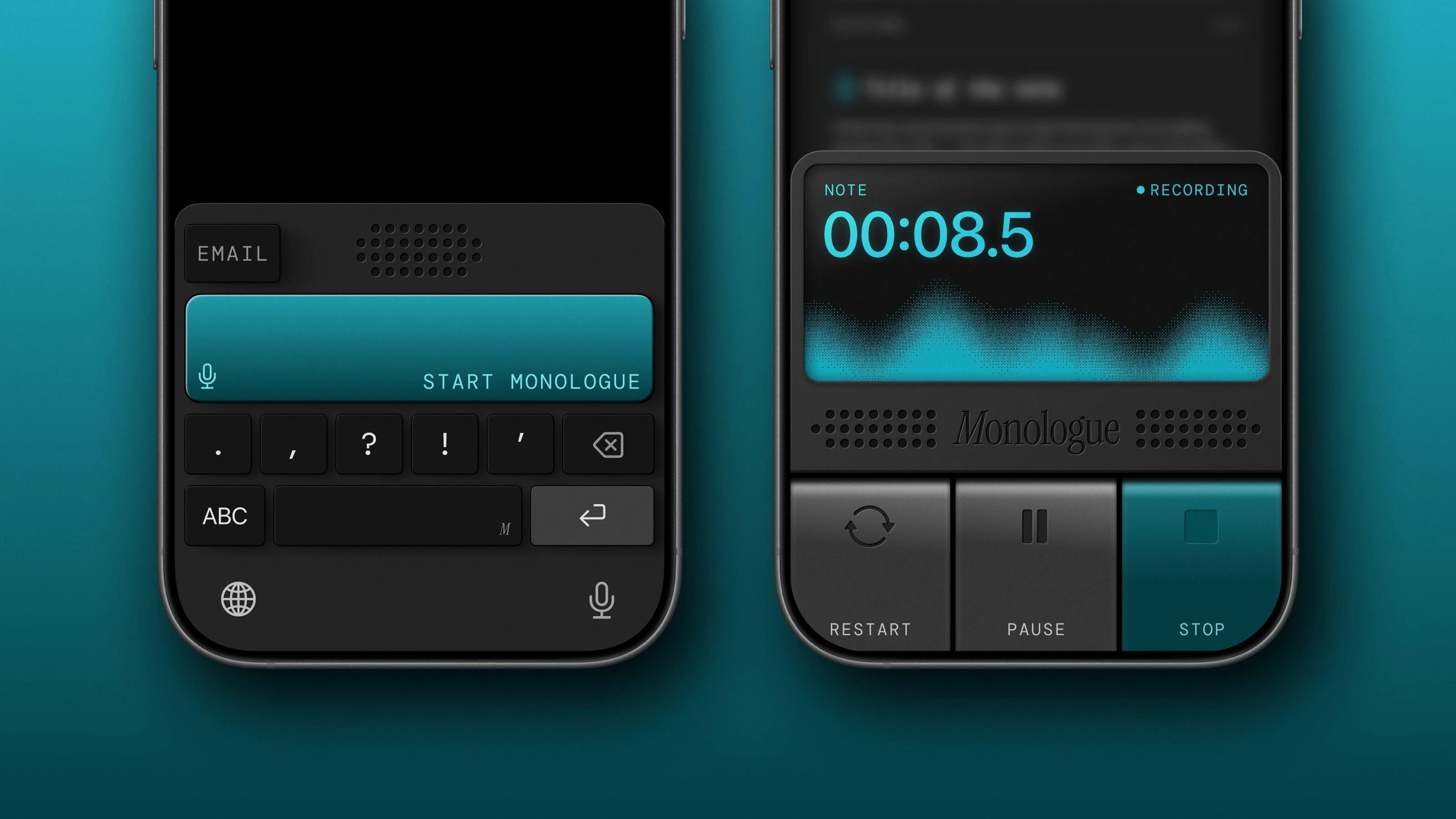
At the beginning of November, Monologue was a macOS app loved by thousands of people for its ability to save time by dictating instead of typing and its unique skeuomorphic look.
Naveen, the general manager of Monologue, was asked by his users to build an iOS version and vibe-coded the first prototype in a single week in November. He did this to figure out how Monologue on iOS could work and to prove the concept.
Shortly after, we bumped into each other on Twitter and hit it off over a shared appreciation for each other's work. He asked me if I wanted to help him build Monologue for iOS, and I was ready for the challenge. He told me he had already built an early prototype and got me to use it on the same day. A week later in December, I started working together with him and Daniel to bring his vision to life.
The Prototype
When I first opened Monologue's codebase in December, I had to decide whether to work with Naveen's vibe-coded prototype or start from scratch.
The version he built with Codex used the macOS app as inspiration and got him impressively far. All the core features were already in place and hadn't changed much since.
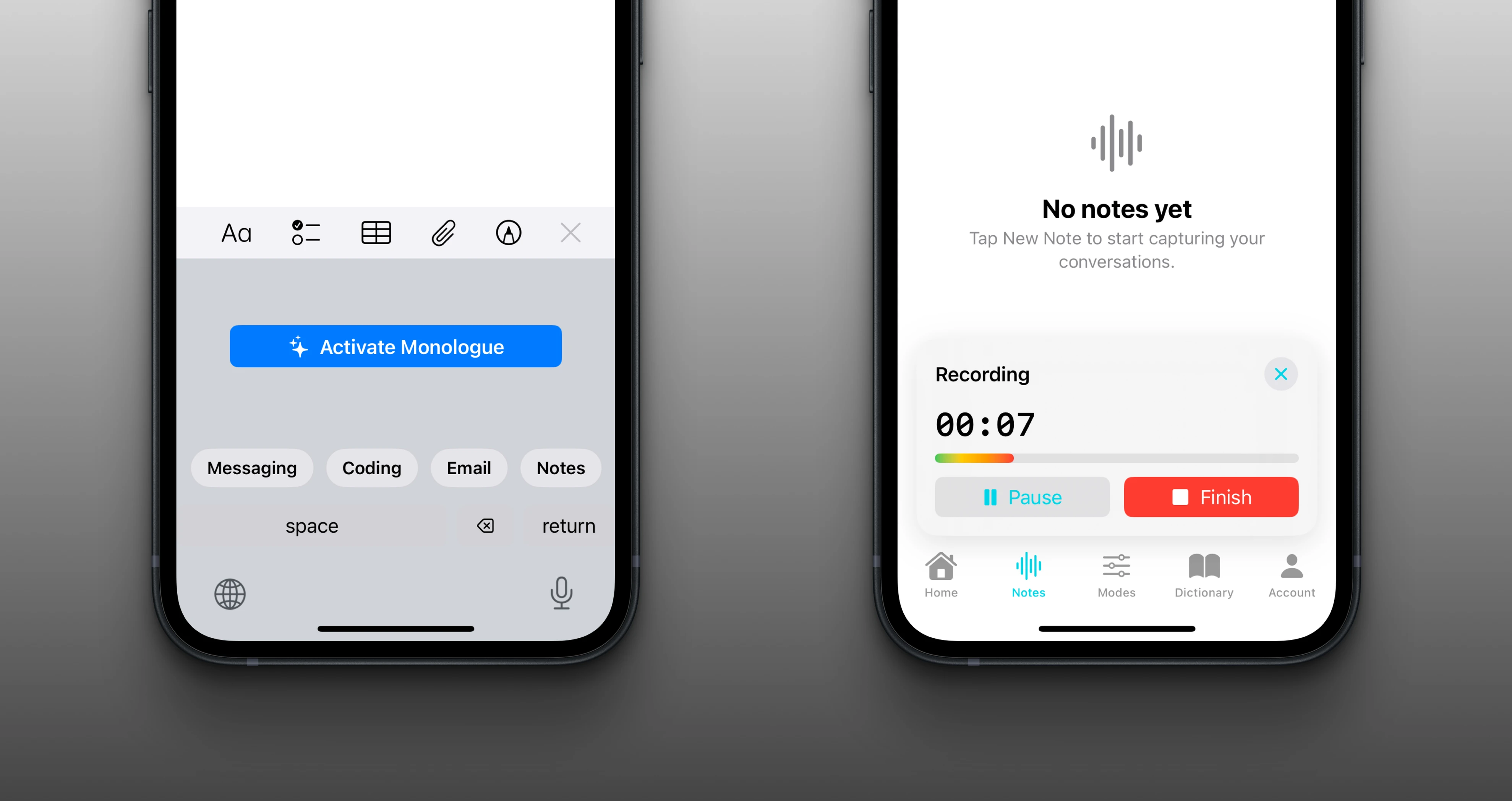
The codebase had the usual vibe-code smell: code duplication, misuse of Swift 6 features like @Observation and Swift Concurrency, and poor integration of third-party dependencies. There were dozens of compiler warnings, and it was impossible to move fast because dependencies between modules were all over the place.
Instead of starting from scratch, I decided to keep working with what we had to tighten the feedback loop between us and Monologue's users. Right from the beginning, we made sure to share new TestFlight builds with the team daily and weekly with interested users from Every's Discord.
The Foundation
I spent the first dozen hours cleaning up the vibe-coded core to be able to move faster and reuse more code. The plan was, right from the beginning, to modularize code as much as possible to encourage reuse between the iOS and macOS apps.
Once the foundation was solid, I started to work on one big feature after another in tandem with Daniel, who provided me with amazing new designs every couple of days. Naveen, Daniel, and I met every other day in a conference call to share progress and discuss Daniel's latest designs. We worked fully remotely, with Naveen being in India and NYC, Daniel in Panama, and me in Indonesia.
Whenever I started to work on new designs, I completely ripped out the vibe-coded mess and replaced it with a feature module with a clear dependency graph. This process continued feature by feature until almost no vibe-code was left.
During this process, Naveen and I started to modularize core business logic for code sharing between the Mac and iOS versions. We also started to work on a shared MonologueUI library that both versions now depend on.
Design Iterations
Monologue's skeuomorphic design is as challenging to implement as it is beautiful. I feel lucky to have a wonderful team that cares as much for every little detail as I do. Daniel was patient, and Naveen kept pushing for more polish.
When working on intricate designs and polishing details, fast iteration is everything. The initial keyboard prototype was horrible to work with in this regard. To see a change, we needed to recompile the app, open another app to present the keyboard, and then test our changes.
Monologue's keyboard has too many states for this to be a joyful development experience. I rebuilt the keyboard from scratch, completely decoupled the UI layer from its business logic, and built a SwiftUI playground to instantly see changes while coding.
This is a pattern we used for most UI components. They all have a SwiftUI playground to get a quick preview of how they look and feel. Every feature, like the home tab or settings, has its own preview to test the whole feature without having to recompile the whole app.To bring Daniel's designs to life, I used SwiftUI's animations to make buttons feel more realistic. Instead of using image assets for buttons and UI controls, every tiny detail is implemented using SwiftUI. This lets us create more realistic state transitions, like changing shadows while tapping a button or shiny display effects.
Conclusion
Naveen vibe-coded an extensive prototype to find out what Monologue on iOS could feel like. He validated his idea and got everyone at Every excited. Early users were happy to have Monologue in their pocket, even though it didn't feel as polished as the Mac app yet.
He never intended to ship the prototype to a broader audience. He proved the concept and knew this would be a great app if he got the right people involved. He brought in Daniel and me to turn his vision into a polished product — modularizing the codebase, rebuilding the keyboard from scratch, and sweating every detail of Daniel's designs.
This is the perfect use case for vibe-coding. Not as a shortcut to a finished product, but as a way to validate an idea fast and then hand it off to people who care about the craft.
If you want to read more about »How to Design Software With Weight«, you can read the article Daniel and I published over at Every.
